

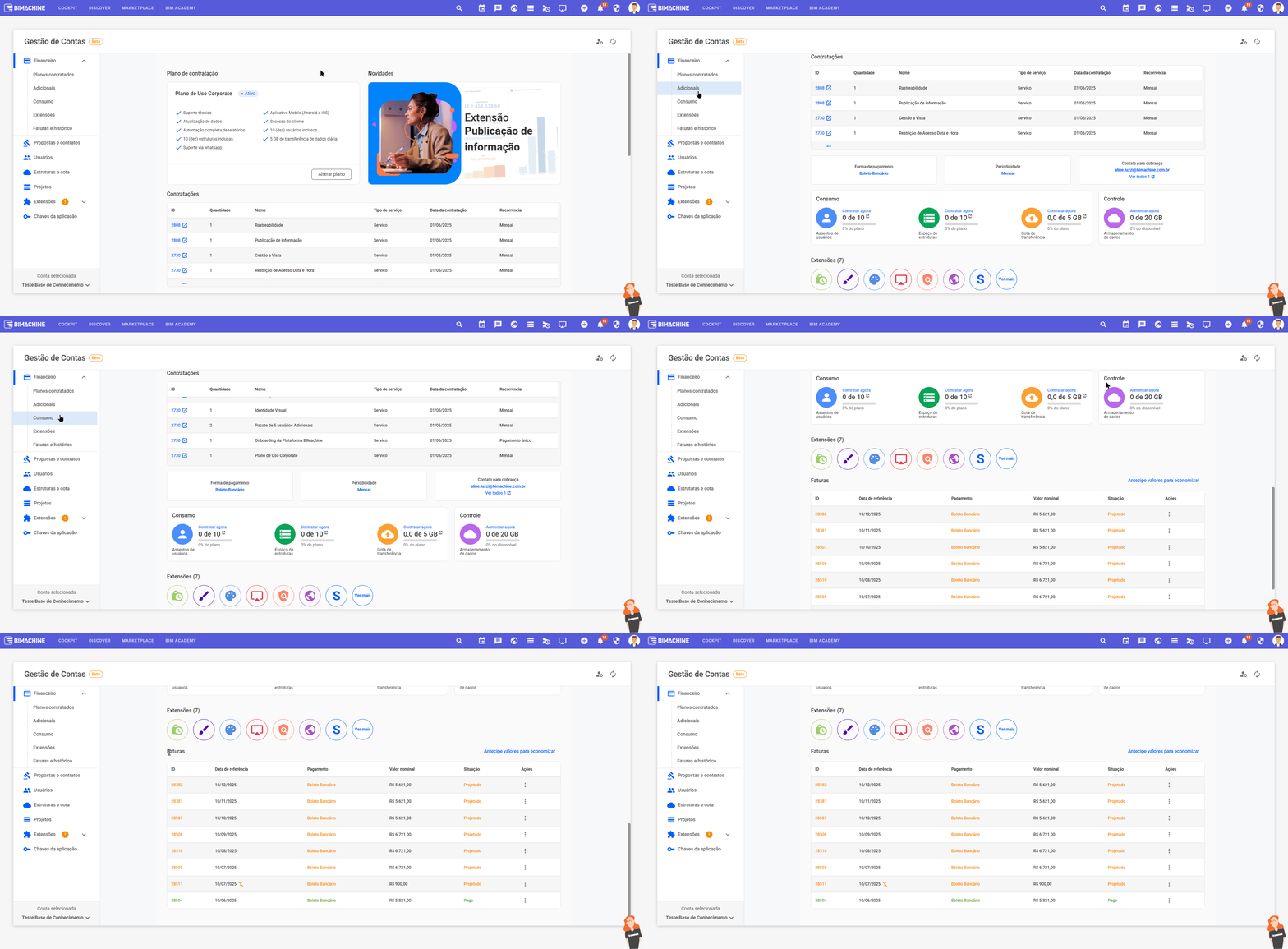
The Finance tab, within the Account Management page, offers a complete and centralized view of all the financial aspects of your account on the platform. Through it, you can clearly and conveniently monitor
Contracted plans
Consult the currently active plan, its details and have the possibility to make changes whenever necessary.
Add-ons
View all the add-ons contracted for the account, ensuring greater control over the resources acquired.
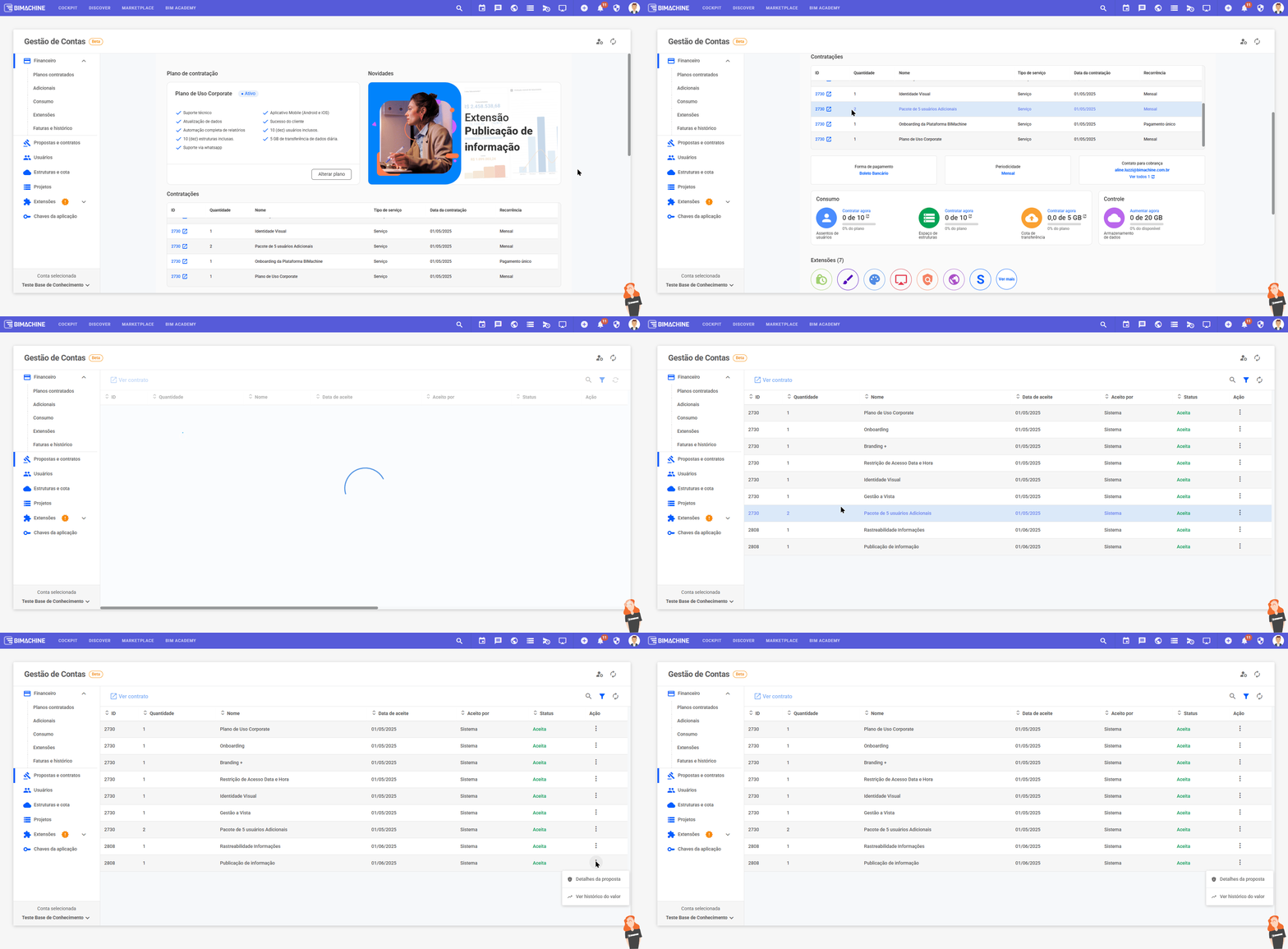
You can also access the ID of the corresponding proposal and view all the contracting details, such as the contracting date, the agreed amount and the request generated, providing greater transparency in the process.
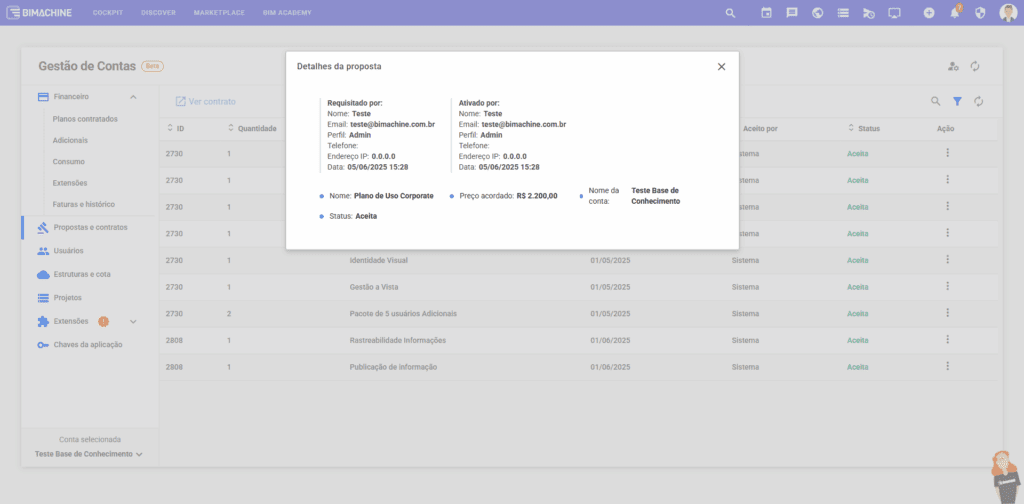
You can also view the e-mail address registered to receive invoices and financial information for the account. By clicking on “View all”, you have access to the complete list of emails associated with the account, including the main email and the others.
Consumption
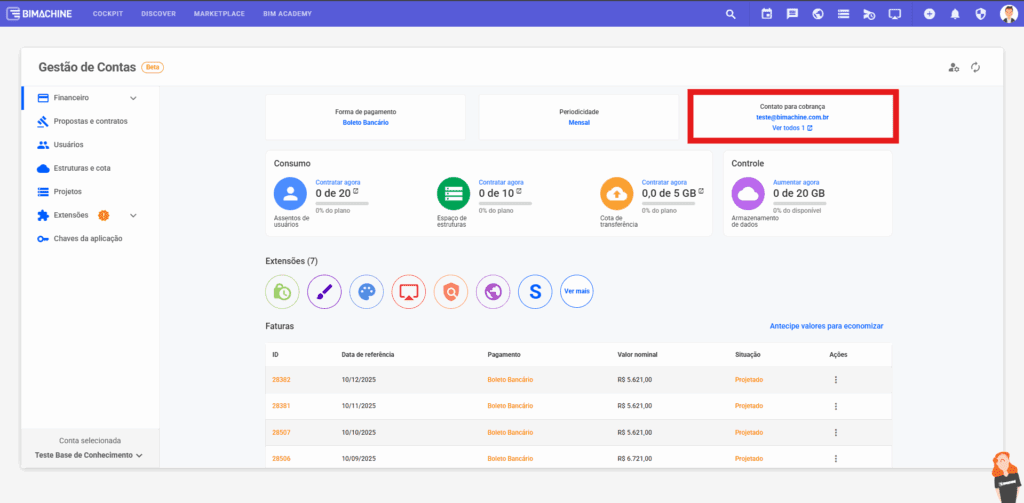
Monitor the use of additional resources, such as users, structures and transfer quota, with the option of contracting more units directly from the interface.
Extensions
Check all the active extensions in your account quickly and easily.
Invoices and history
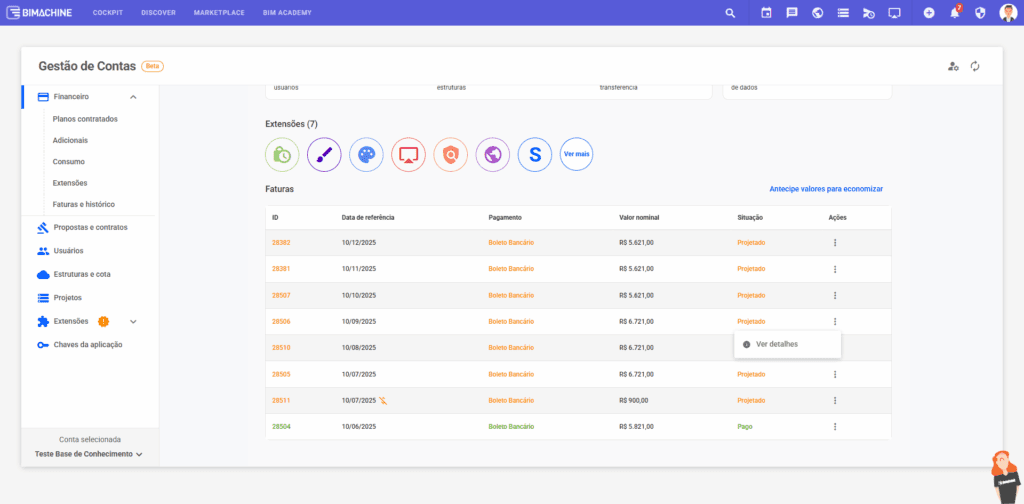
Access the complete list of invoices, including paid, open and projected invoices. In addition to the list view, you can see the details of each invoice by clicking on the actions icon.
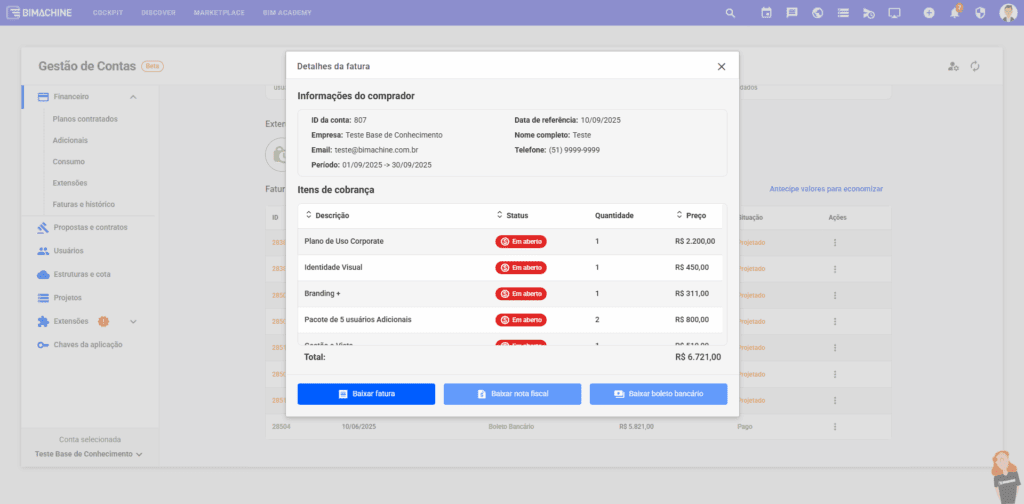
By selecting “View details”, the customer can check the billing period, the invoiced items and access all the associated information. It is also possible to view and download the complete invoice, the electronic invoice (NF-e) and the boleto bancário, directly from the system.
Each section has been designed to provide organized and detailed information, allowing you to track everything from plan status to payment history and usage projections – all in one place. This structure provides more transparency, autonomy and secure, efficient financial control.
Explore the new Account Management and take advantage of all the enhanced features it offers!
Frequently Asked Questions
When is my invoice generated and when is it due?
Invoices are generated automatically on the 1st working day of each month and are due on the 10th of the same month. The documents are sent to the registered emails and are also available to view on the platform.
Where can I access my invoices?
Go to the Invoices and history section on the platform. There you will see all your invoices. For details of a specific invoice, click on the three dots next to the desired line and select “View details”.
I haven’t received the invoice and/or the boleto. What can I do?
You can access the invoice and attached documents directly on the platform, as indicated above. If you can’t find it, contact the finance team at financeiro@bimachine.com.br.
Where can I check the history of previous amounts?
In the Invoices and history section, you can view your complete payment history, compare amounts from previous months and track any price changes.
I don’t understand the amount charged. Where can I see the details?
The details of each invoice are available in Invoices and history. Click on the three dots of the desired invoice and select “View details” to see the full description of the amount.
When can my bill increase in value?
The amount may change in the following situations:
- Contractual readjustment provided for in the terms of use;
- Change of plan or contracting of additional services;
- Termination of promotional or temporary discounts.
What is a contractual readjustment and when does it occur?
A contractual readjustment is an annual adjustment of values, usually based on official inflation indices, such as the IGP-M.
To check the readjustment of your invoice:
- Access Proposals and Contracts;
- Choose the proposal you want;
- Click on the three dots and go to “Value history”.
- There you will see the index used, the percentage applied and the date of the adjustment.