

Improvements in dashboard editing
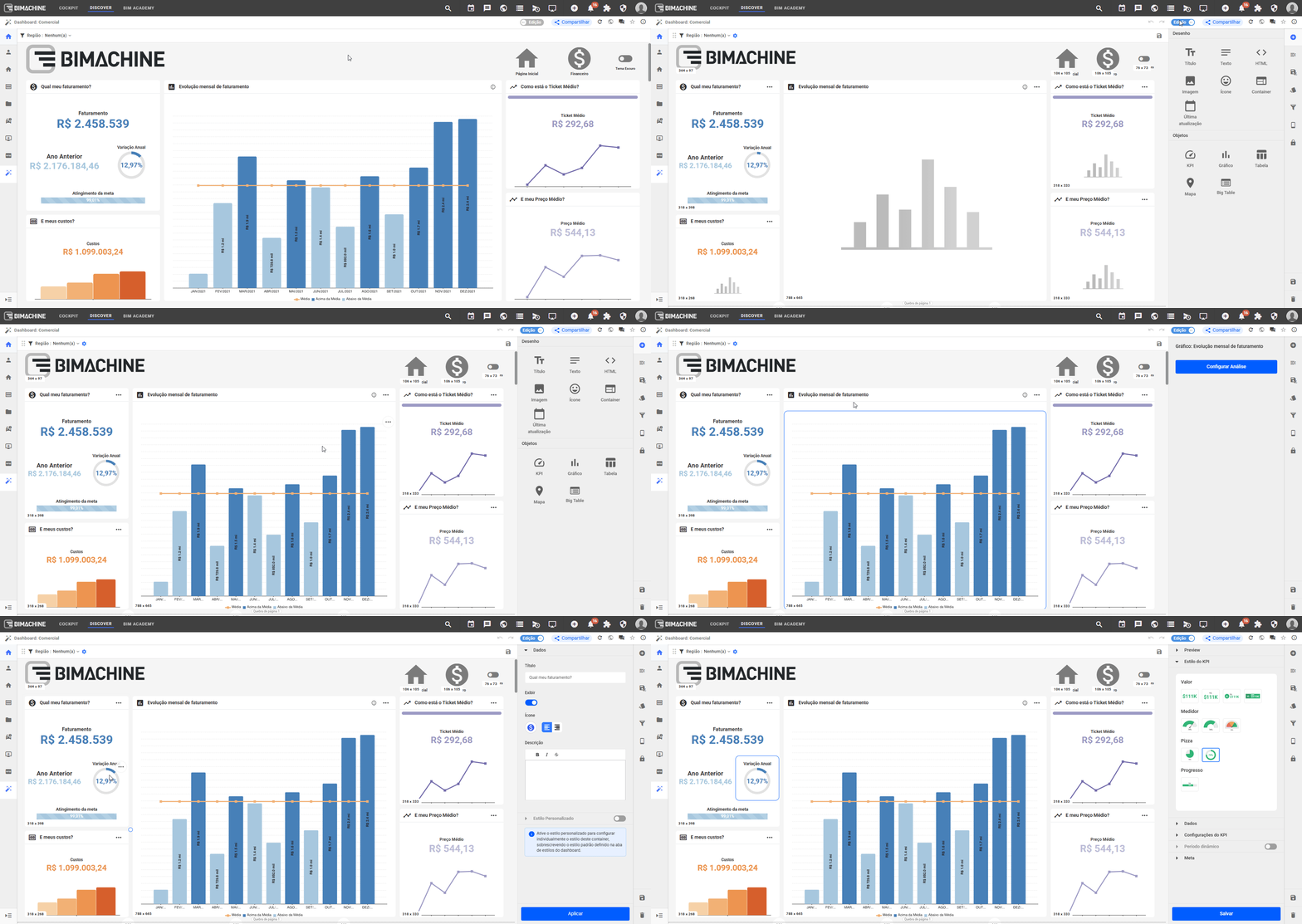
- Fixed side menu that is always visible. The dashboard side menu is now fixed and cannot be closed, ensuring that editing options remain accessible throughout the process of building and adjusting panels. This reduces screen switching and makes editing more continuous and dynamic.
- Dashboard area not overlapped. With the fixed menu, the usable area of the dashboard is no longer overlapped by the side panel. Thus, the dashboard content remains fully visible while the user configures or edits objects, improving layout perception and avoiding adjustments “in the dark.”
- Highlighting the element being edited within containers. When editing an object inserted into a container, the platform now applies a visual highlight to the active element. This reinforcement makes it easier to quickly identify which component is being adjusted, especially in dashboards with multiple grouped items.
Editing enabled per session
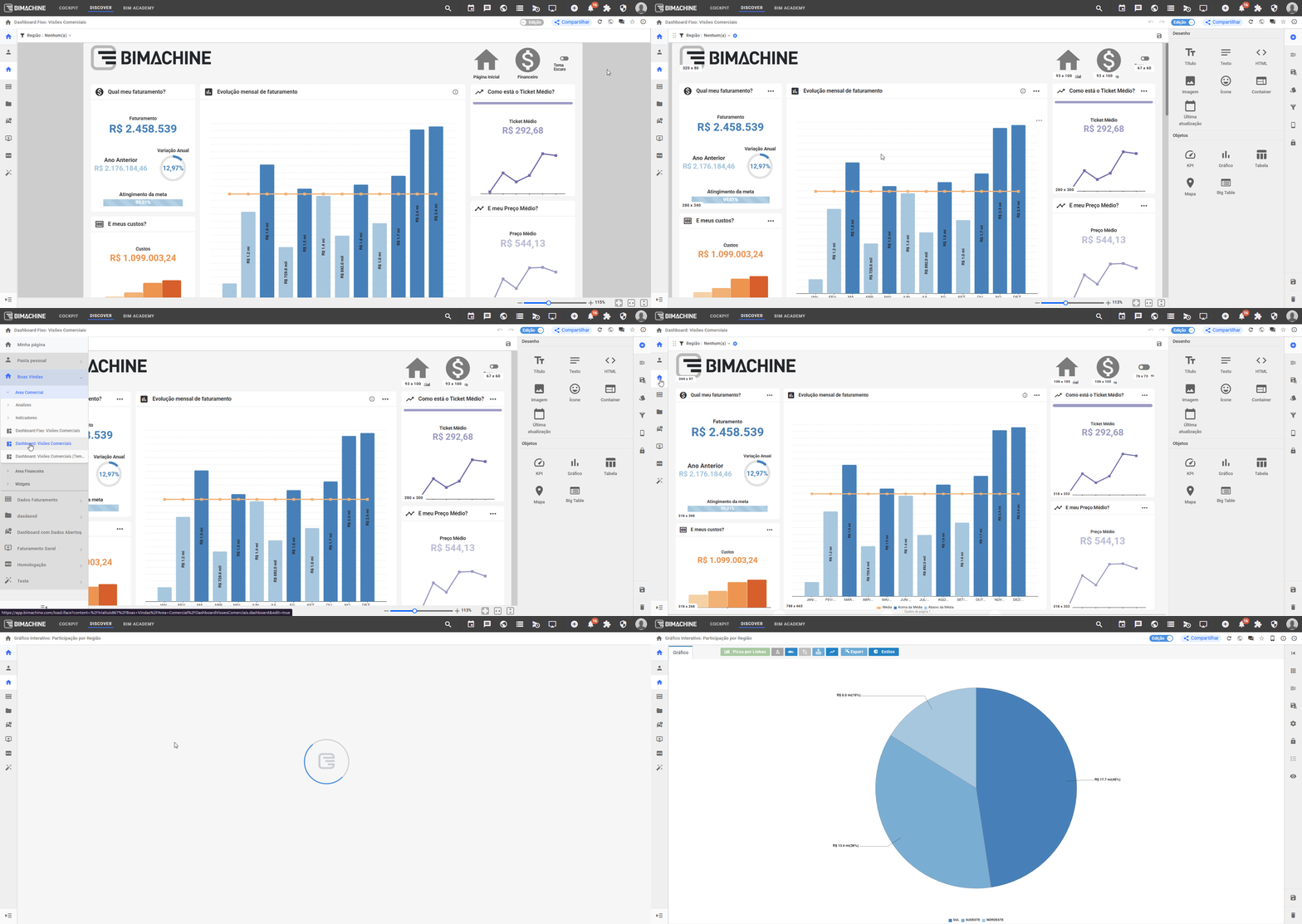
The editing logic has been improved to increase productivity when creating and editing analytical views. Starting with this update, when you activate edit mode, this status is saved in the user’s session and applies to all objects. In practice, this eliminates the need to enable editing individually for each component, allowing the user to create and adjust multiple elements in sequence continuously. The result is a more straightforward workflow, with less operational friction and faster dashboard evolution.
Option to enable/disable targets in KPIs
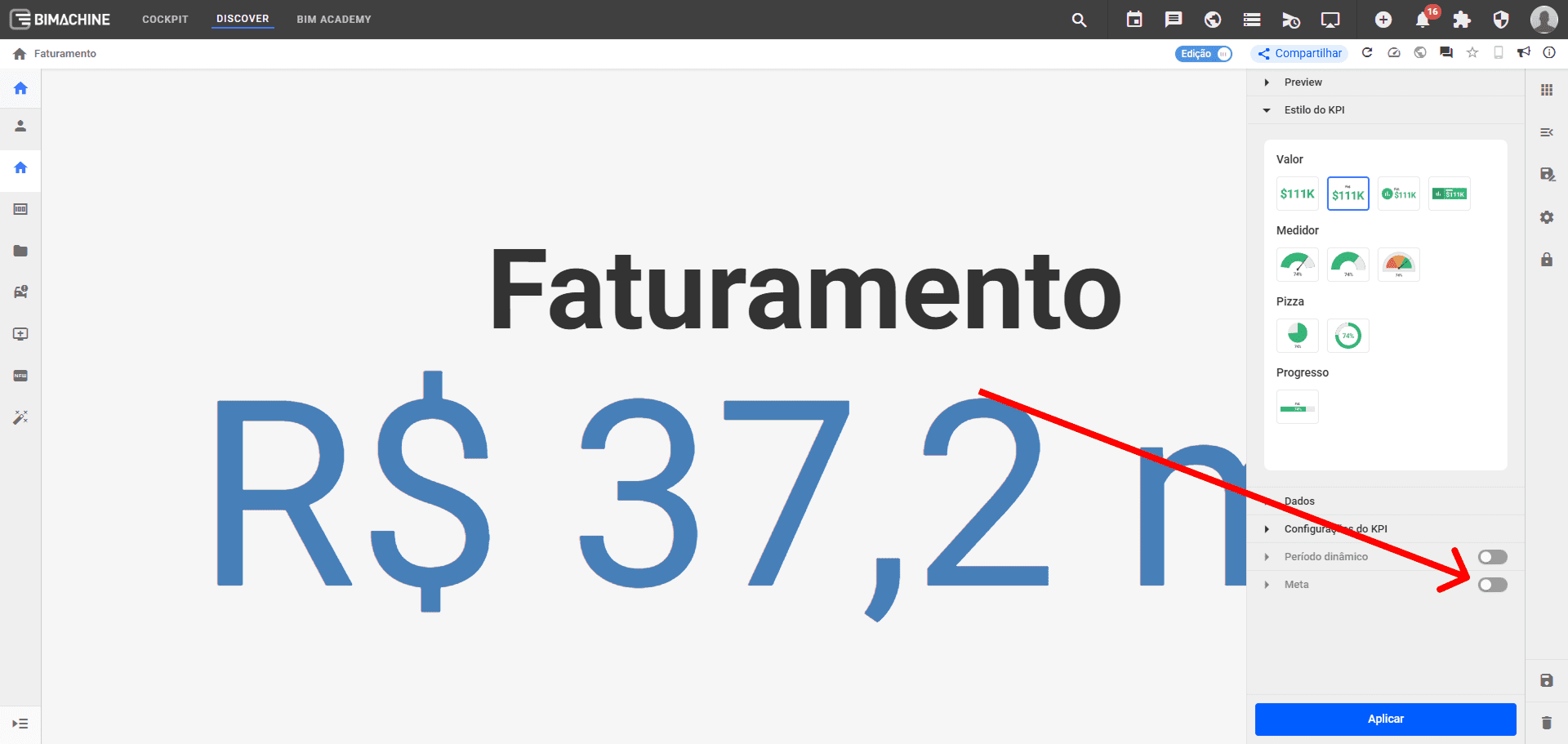
KPIs can now be created with or without targets, offering more flexibility for different analysis contexts. The user can disable the target at the time of creation and use the KPI only to display a reference value, such as total sales, number of customers, or current inventory, without having to set an artificial goal just to enable the component. If you want to compare the result with a target later, simply enable it and set the parameters as usual. This improvement simplifies the creation of direct KPIs, reduces barriers to use, and ensures better adherence to real business scenarios.
Other functionalities
In addition, the following functionalities have been implemented in this version:
| Number | Functionalities | Version |
|---|---|---|
| #11311 | Improvement in the “about the object” option to show the structure linked to the object | 2.94.0 |
| #11526 | Component implemented that allows you to set a custom font size | 2.94.0 |